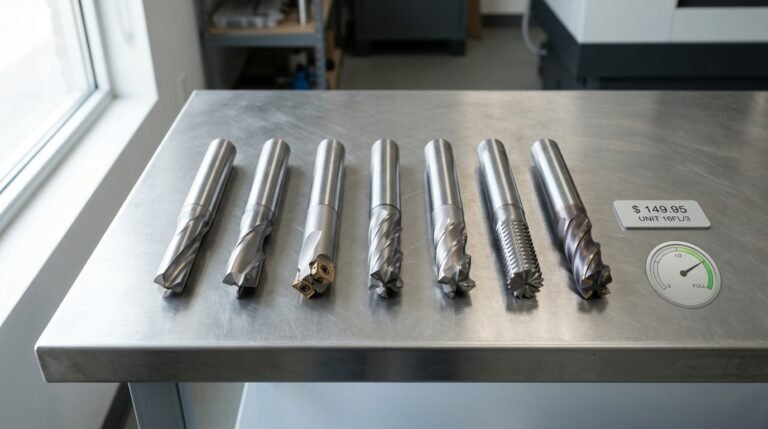
A single extra flute on your router bit can cut surface roughness by up to 40% — or clog the cut channel and burn your workpiece if matched to the wrong material. The choice between router bit flute count 1 vs 2 vs 3 comes down to a direct trade-off: fewer flutes mean larger chip gullets and faster waste evacuation, while more flutes deliver smoother finishes at higher feed rates but demand materials that won’t pack the channels. Picking the right count isn’t a guess — it’s a calculation driven by your spindle speed, material type, and the finish quality your project actually requires.
What Is a Router Bit Flute and Why Does the Count Matter
A flute is the helical or straight groove machined into the body of a router bit. Each flute has two functional parts: a sharp cutting edge (the lip) that shears material, and the channel behind it that evacuates chips away from the cut. Think of it as a tiny conveyor belt — the edge does the cutting, and the valley behind it hauls waste out of the kerf before friction turns it into heat.
Why should you care about the number of these grooves? Because router bit flute count — whether 1 vs 2 vs 3 — controls four variables simultaneously: chip load per tooth, achievable feed rate, surface finish quality, and thermal buildup. Change one, and the others shift in response.
The Core Trade-Off
More flutes mean more cutting edges contacting the workpiece per revolution. At a fixed RPM of 18,000 (common for a mid-size plunge router), a 2-flute bit produces twice as many cuts per revolution as a single-flute bit. That doubles the number of tool marks per inch, which directly improves surface smoothness — often reducing sanding time by roughly 30–40%. But each additional flute shrinks the chip-evacuation channel, leaving less room for waste to escape.
- Chip load — the thickness of material each flute removes per revolution — drops as flute count rises at the same feed rate.
- Heat buildup accelerates when chips can’t clear fast enough, because re-cut chips generate friction instead of clean shearing.
- Feed rate can increase with more flutes (more cuts per revolution = faster travel for equivalent finish), but only if the material and shank rigidity support it.
Understanding these relationships is essential before selecting a flute count. The milling cutter geometry principles that govern CNC end mills apply identically to handheld router bits — the physics of chip formation doesn’t change just because the machine is smaller.
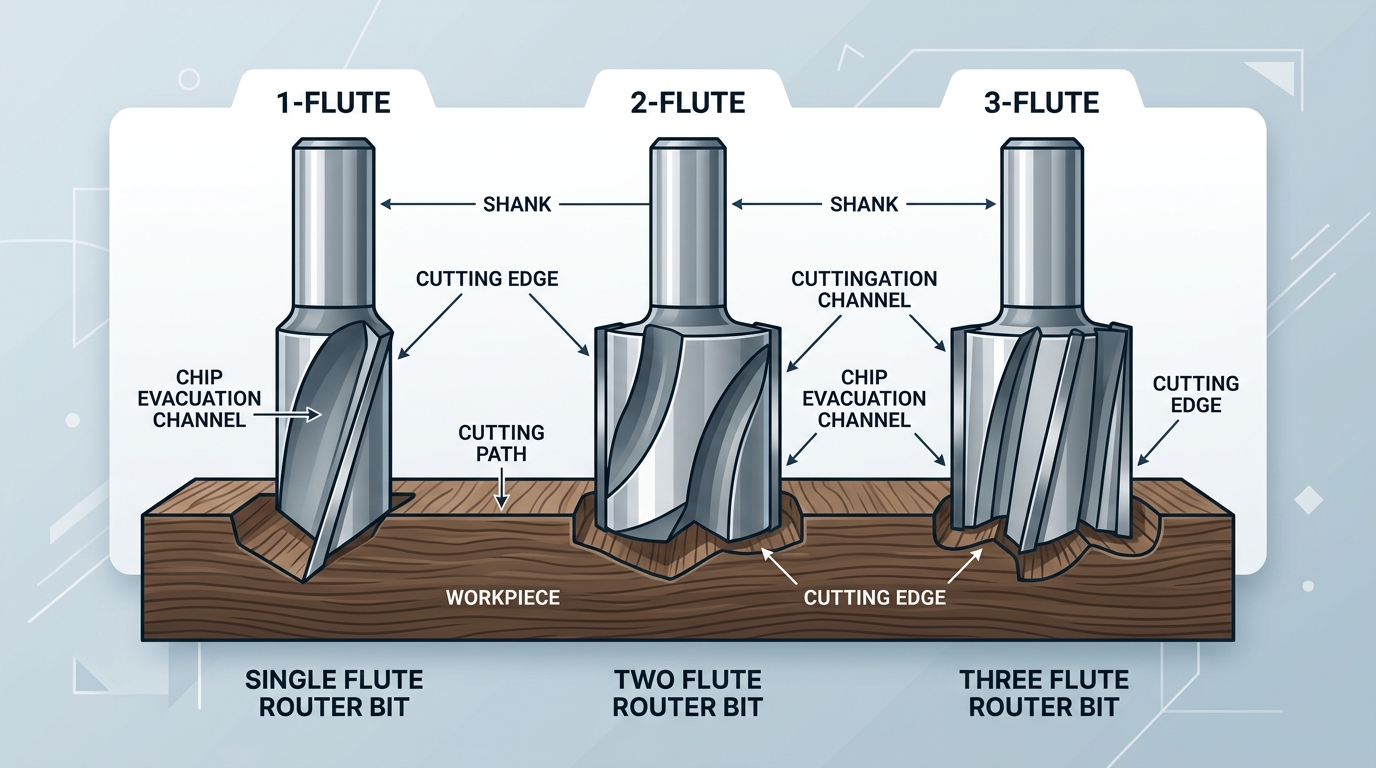
How Flute Count Affects Chip Load, Feed Rate, and Surface Finish
Every time a router bit completes one revolution, each flute takes a bite out of the material. That bite is called chip load, and it’s the single most important variable connecting flute count to cut quality. The formula is straightforward:
Chip Load = Feed Rate ÷ (RPM × Number of Flutes)
Run a 2-flute bit at 18,000 RPM with a feed rate of 200 inches per minute and each flute removes roughly 0.0056 inches of material per pass. Swap to a 3-flute bit at the same RPM and feed rate, and chip load drops to about 0.0037 inches — a 34% reduction per flute. That smaller bite produces a noticeably smoother surface finish because each cutting edge is shearing less material and leaving shallower scallop marks.
But here’s the trade-off most beginners miss: more flutes means less gullet space — the open channel between cutting edges where chips escape. Restrict that space and chips pack together, generating friction heat that can burn wood or gum up plastics. When comparing router bit flute count 1 vs 2 vs 3, you’re really balancing chip evacuation against finish quality.
A practical rule: if you increase flute count, increase your feed rate proportionally to maintain the same chip load. Otherwise, each flute takes too thin a cut, rubbing rather than shearing — which dulls carbide edges faster and scorches the workpiece. Bit rigidity matters here too; a 1/2-inch shank handles the higher feed forces of a 3-flute bit far better than a 1/4-inch shank. For a deeper dive into chip load calculations across CNC applications, the Harvey Performance speeds and feeds guide is an excellent reference.
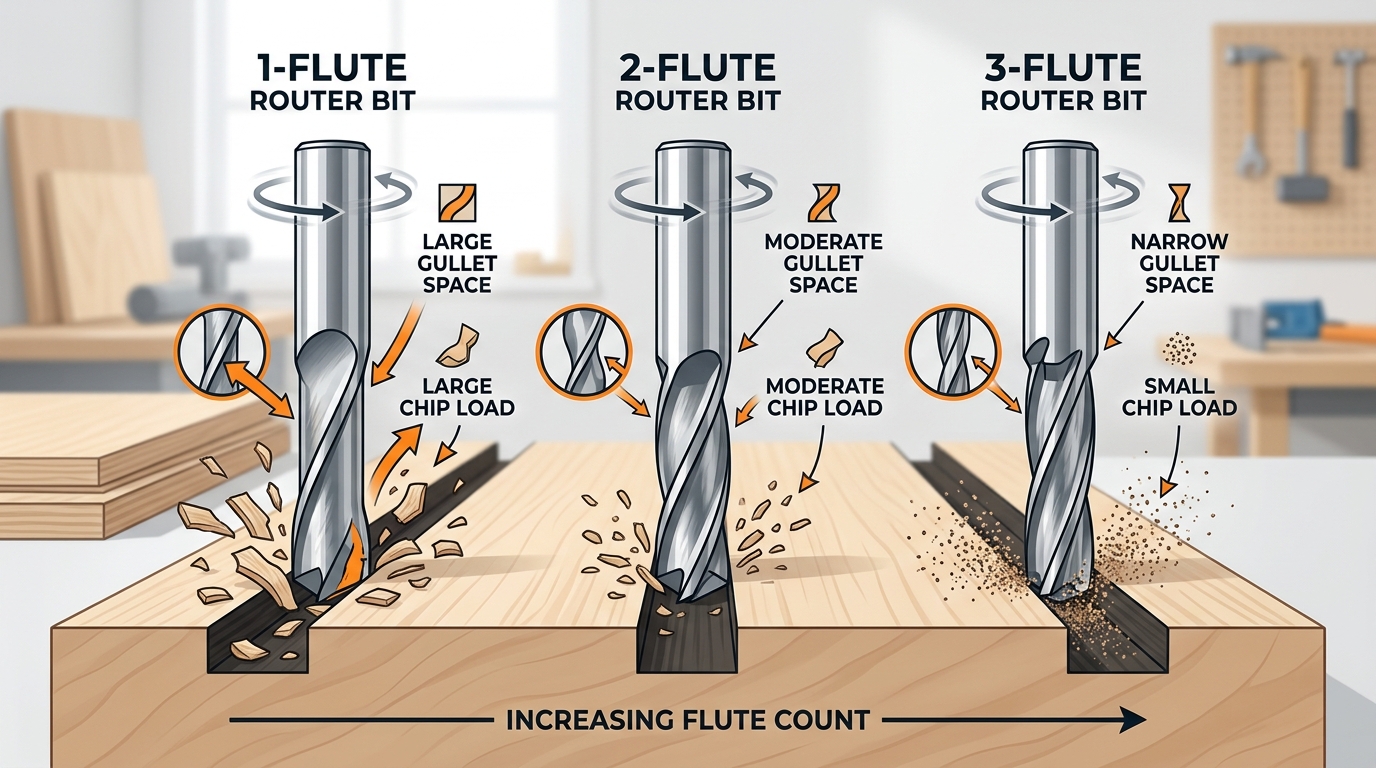
1-Flute Router Bits — Maximum Chip Clearance for Soft and Sticky Materials
A single-flute router bit has one cutting edge and one oversized gullet — the valley between the cutting edge and the bit body. That gullet can be roughly 3× larger than the gullet on a 3-flute bit of the same diameter, which is exactly why it dominates when chip evacuation is the bottleneck. Materials like acrylic, HDPE, PVC, closed-cell foam board, and gummy softwoods (think fresh-cut pine or cedar) generate chips that love to re-weld onto the cutter if heat builds up. One flute means fewer cuts per revolution, less friction, and a cooler cut zone.
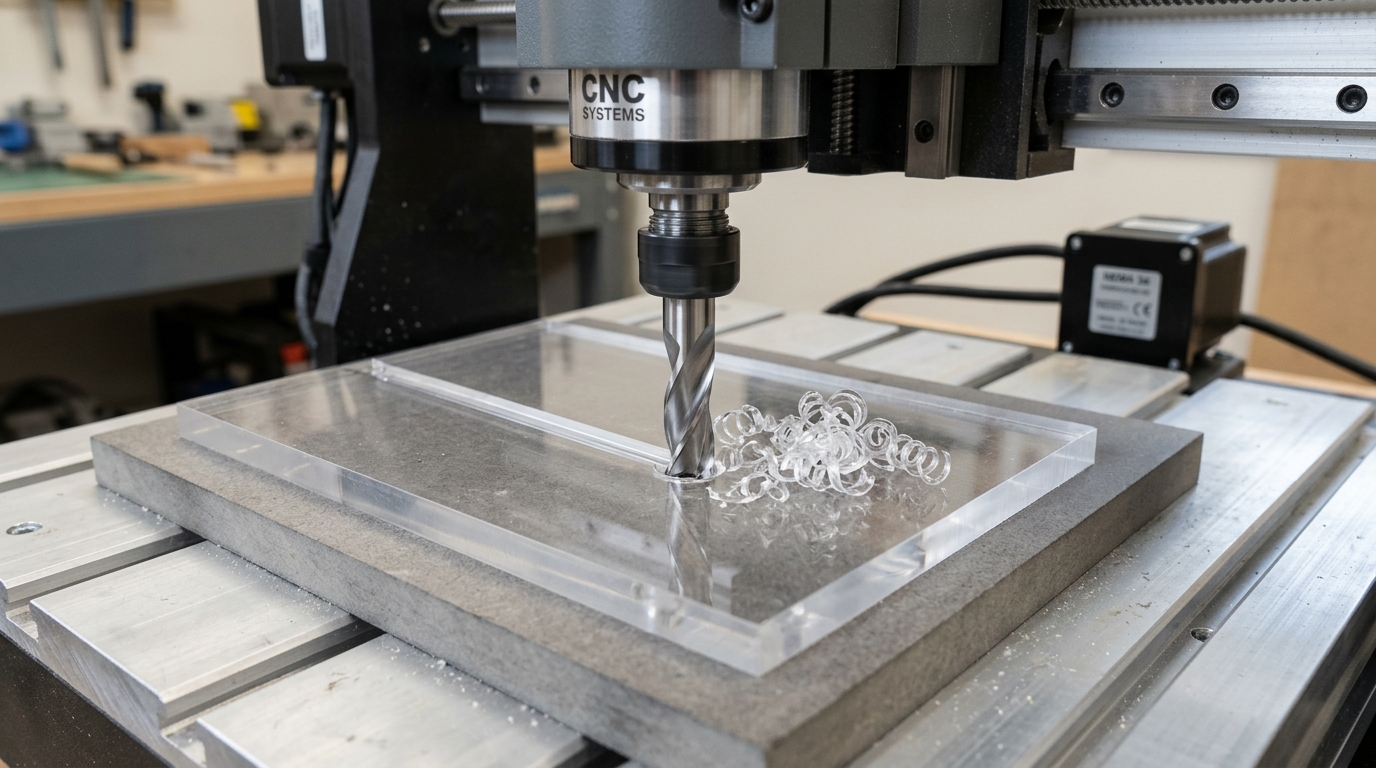
CNC shops routing sign blanks from cast acrylic typically run a ¼″ single-flute O-flute (an upcut geometry with a polished inner channel) at 18,000 RPM with feed rates between 150–250 IPM. That aggressive feed is possible precisely because the single gullet clears every chip before the next rotation. Drop to a 2-flute at the same chipload and you risk melting the plastic back onto the cut edge — a defect called re-welding that ruins edge clarity.
Pro tip: When cutting aluminum sheet on a CNC router, pair a single-flute with an air blast or mist coolant. Aluminum’s tendency to form a built-up edge drops dramatically when chips exit the flute instantly.
The trade-off? Surface finish. Because only one edge contacts the workpiece per revolution, tool marks are spaced farther apart, leaving visible scalloping. For decorative edges on softwood projects, you may want to choose a bit matched to your wood type and accept a light sanding pass. When evaluating router bit flute count — 1 vs 2 vs 3 — think of the single-flute as the specialist: unbeatable for chip-heavy, heat-sensitive cuts, but not the tool you grab for a finished edge on oak.
Handheld router users can benefit too, especially when hogging out waste in soft stock. Just keep the feed steady; stalling a single-flute in the cut concentrates all cutting force on one edge, accelerating wear far faster than distributing it across two or three.
2-Flute Router Bits — The Versatile Standard for Wood and Plywood
There’s a reason roughly 70–80% of router bits sold for woodworking carry two flutes. Two cutting edges strike the ideal middle ground: enough gullet space to evacuate chips efficiently, yet enough cutting frequency per revolution to leave a clean surface. When debating router bit flute count — 1 vs 2 vs 3 — the 2-flute design is where most woodworkers should start and, honestly, where many never need to leave.
Why Two Flutes Work Almost Everywhere
A 2-flute bit running at 18,000 RPM delivers 36,000 cuts per minute. That’s double the cutting action of a single-flute at the same spindle speed, which translates directly into a smoother edge on hardwoods like maple and oak without sacrificing chip clearance the way a 3-flute can in softer stock. The balanced geometry also reduces vibration — each flute is 180° opposite the other, keeping the bit dynamically stable even on 1/4-inch shanks that are more prone to deflection.
CNC and Handheld Compatibility
On a CNC router, 2-flute spiral upcuts handle slotting, profiling, and pocketing in plywood and MDF at feed rates from 150 to 400 IPM without heat buildup. Handheld router users benefit just as much — the moderate chip load per tooth means you can push a trim router through 3/4″ birch plywood at a comfortable hand-feed pace and still get an edge clean enough to glue without sanding.
Pro tip: If you’re only buying one straight or spiral bit, grab a 2-flute, 1/2″ diameter, upcut spiral in solid carbide. It handles both hardwood and softwood confidently and stays sharp far longer than HSS alternatives.
The milling cutter industry settled on two flutes as the default for wood decades ago, and tooling catalogs from Amana, Whiteside, and CMT all reflect that — their widest selection sits in the 2-flute category. Availability alone makes replacement and experimentation easier, which matters when you’re dialing in chip load for a new material.
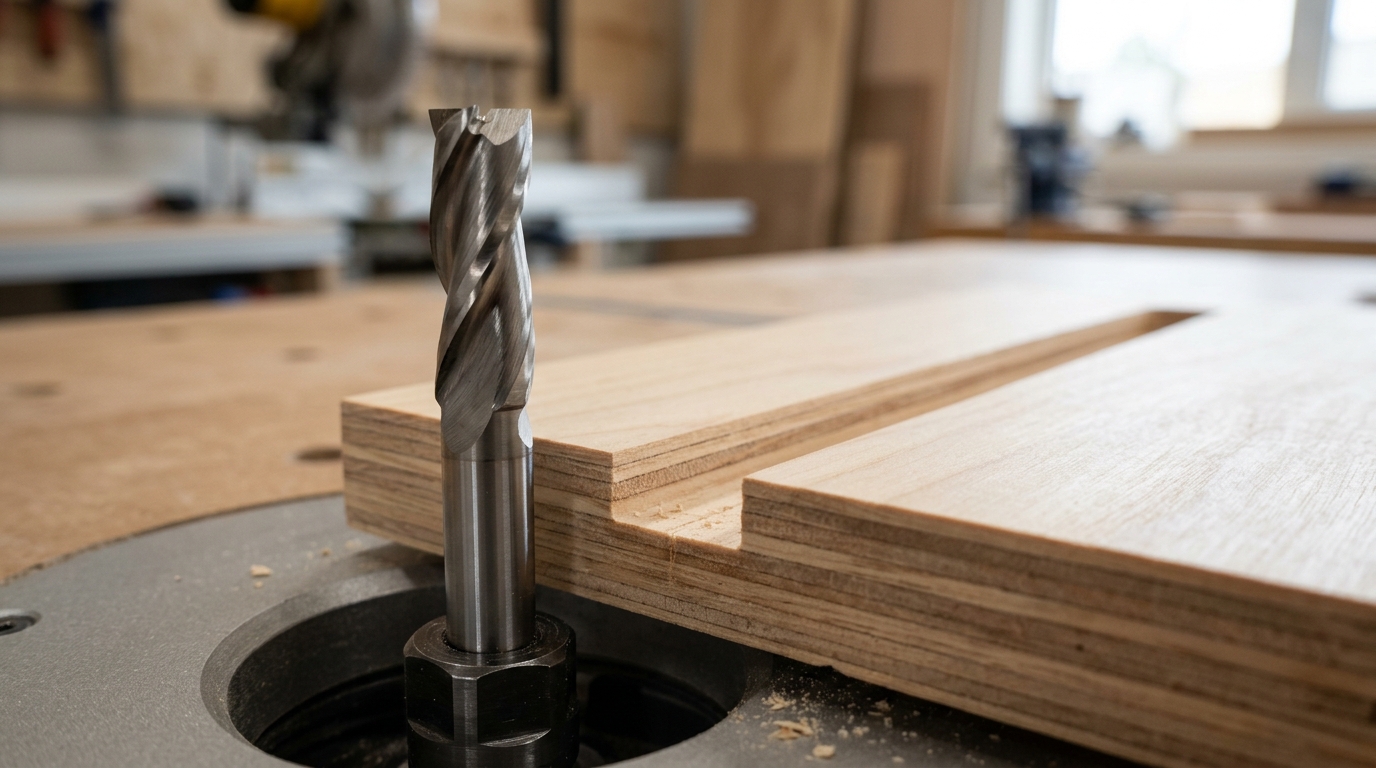
3-Flute Router Bits — Superior Finish Quality and Higher Feed Rates
Three cutting edges per revolution means 50% more cuts than a two-flute bit at the same RPM and feed rate. That extra contact translates directly into a finer surface finish — often eliminating the need for a separate sanding pass on hardwoods like maple, cherry, and white oak. For production CNC shops where cycle time is money, a 3-flute bit lets you increase the feed rate while maintaining the same chip load per tooth, shaving significant time off each nested sheet.
Where do 3-flute designs really shine? Finish passes on solid hardwood edges, MDF profiling, melamine-faced panels, and composite materials like Corian. Cabinet shops running hardwood and softwood on the same CNC often keep a 3-flute compression bit staged specifically for final-dimension cuts. According to tooling manufacturer Onsrud’s selection guide, 3-flute spiral end mills can boost feed rates by up to 30–50% over comparable 2-flute geometries in hardwood and composite applications without sacrificing edge quality.
Pro tip: When evaluating router bit flute count 1 vs 2 vs 3, think of the 3-flute as a finishing specialist — not a roughing tool.
The trade-off is gullet size. With three flutes packed into the same diameter, each chip channel shrinks considerably. Deep slotting cuts in softwoods or plastics risk chip packing — compressed debris that generates heat, accelerates wear, and can scorch the workpiece. Keep axial depth of cut moderate (no more than 1× cutter diameter for full-width slots) and ensure your dust collection or air blast is aggressive. If you need to hog out material in a deep pocket, rough with a 1- or 2-flute bit first, then switch to the 3-flute for the finish pass.
Side-by-Side Comparison Table — 1 vs 2 vs 3 Flute Router Bits
Numbers tell the story faster than paragraphs. The table below distills every critical performance variable so you can compare router bit flute count — 1 vs 2 vs 3 — at a glance. Use it as a quick-reference cheat sheet before your next purchase or tool change.
| Criteria | 1 Flute | 2 Flute | 3 Flute |
|---|---|---|---|
| Chip Clearance | Excellent — largest gullet volume | Good — balanced gullet size | Limited — smallest gullet per flute |
| Surface Finish | Rougher (visible tool marks) | Clean (suitable for most joinery) | Smoothest — up to 50% more cuts per revolution than 2-flute |
| Optimal Feed Rate | Moderate; chip load per tooth is high | Medium-high; easy to calculate | Highest overall; same chip load at faster IPM |
| Heat Generation | Low — air flows freely through gullet | Moderate | Highest — reduced clearance traps heat |
| Best Materials | HDPE, acrylic, soft plastics, aluminum | Hardwood, softwood, plywood, MDF | Hardwood, composites, laminates |
| Typical Cost (¼″ upcut, carbide) | $8–$15 | $10–$20 | $18–$35 |
| Handheld Router | Niche use only | Ideal — the default choice | Usable but less forgiving at variable feed |
| CNC Router | Great for slotting plastics | Versatile workhorse | Best for high-speed finishing passes |
| Roughing vs Finishing | Roughing | Both | Finishing (or high-feed roughing on CNC) |
One pro tip that doesn’t fit neatly into a table: shank diameter matters as much as flute count for vibration control. A 3-flute bit on a ¼″ shank can chatter badly at aggressive feeds because the shank flexes. Pair 3-flute geometry with a ½″ shank whenever possible — learn why in our guide on the real difference between ¼″ and ½″ shank router bits.
For a deeper dive into how milling cutter geometry influences chip evacuation and tool life, Wikipedia’s overview of flute design is a solid starting point.
How to Match Flute Count to Your Material and Application
Forget memorizing charts. Use this three-step framework: material → operation → machine setup. Each variable narrows your choice until only one router bit flute count — 1 vs 2 vs 3 — makes sense.
Step 1: Start With the Material
- Softwood, HDPE, acrylic, or aluminum: 1 flute. These materials produce large, gummy chips that clog tight gullets fast. A single flute gives roughly 3× the chip clearance of a three-flute design.
- Hardwood, Baltic birch plywood, MDF: 2 flutes. The balanced chip load handles the density without overheating. If you’re unsure whether hardwood demands a different bit entirely, this hardwood vs softwood guide breaks it down.
- Melamine, composite panels, phenolic: 3 flutes. The extra cutting edge reduces chip size, which keeps brittle face veneers from splintering.
Step 2: Factor in the Operation
Slotting and deep pocketing trap chips — lean toward fewer flutes. Edge profiling and shallow passes tolerate more flutes because chips eject sideways. A CNC operator running adaptive toolpaths at 200+ IPM in MDF, for example, can push a three-flute bit at feed rates roughly 50% higher than a two-flute at the same chip load, cutting cycle time dramatically.
Step 3: Consider Your Router Setup
Handheld routers limit your feed-rate precision, so a two-flute bit is the safest default — it forgives inconsistent hand speed. CNC machines with spindles above 18,000 RPM and proper feeds-and-speeds calculations unlock the full advantage of three-flute geometry. Without adequate dust collection on either platform, extra flutes become a liability because packed gullets generate heat that burns the workpiece and dulls carbide prematurely.
Pro tip: When in doubt, a two-flute upcut spiral in 1/2″ shank covers about 80% of shop tasks. Reserve single and triple flutes for the specific scenarios above.
Common Mistakes When Choosing Flute Count and How to Avoid Them
Knowing the differences between router bit flute count 1 vs 2 vs 3 is only half the battle — applying that knowledge correctly is where most shops stumble. Here are the errors I see repeatedly, along with fixes that actually work.
Using a 3-Flute Bit on Soft Plastics or Foam
Three flutes leave minimal gullet space. In HDPE, acrylic, or expanded PVC, chips can’t evacuate fast enough, pack the flutes, and generate friction heat that melts the workpiece. Switch to a single-flute O-flute bit and keep spindle speed moderate — around 16,000–18,000 RPM for a ¼″ diameter tool. According to Harvey Performance’s plastics machining guide, chip packing is the number-one cause of melted edges in thermoplastic routing.
Running a 1-Flute Bit Too Slowly
A single flute cuts once per revolution. Drop the feed rate hoping for a cleaner edge and you’ll actually get the opposite — the cutter rubs instead of shearing, burnishing the surface and accelerating edge dulling by up to 40%. The fix: calculate your target chip load first, then set feed rate accordingly. For softwood on a single-flute ¼″ bit, aim for roughly 0.010–0.015″ chip load per tooth.
Ignoring Chip Load Calculations Entirely
Too many operators pick a flute count, guess at feed and speed, and blame the bit when results disappoint. Chip load changes with every flute you add. A 2-flute bit at 18,000 RPM and 200 IPM gives 0.0056″ per tooth; swap to a 3-flute at the same settings and chip load drops to 0.0037″ — thin enough to cause rubbing in hardwood. Always recalculate when switching flute counts.
Assuming More Flutes Always Means Better Quality
More flutes improve finish only when chip clearance isn’t a bottleneck and your machine can push adequate feed rates. On an underpowered handheld router that maxes out at 60 IPM, a 3-flute bit starves for material and dulls prematurely. A quality 2-flute bit is the smarter investment — and bit quality matters more than flute count when your machine has limited feed capability.
Frequently Asked Questions About Router Bit Flute Count
Can I use a 2-flute bit for plastic?
You can, but proceed with caution. Plastics like acrylic and polycarbonate melt at relatively low temperatures — acrylic softens around 160 °C (320 °F). A 2-flute bit at high RPM can trap heat between its smaller gullets and weld chips back onto the cut edge. A single-flute O-flute design is the safer pick for most plastics because it evacuates chips before they re-melt.
Does flute count affect bit longevity?
Yes — more flutes distribute wear across more cutting edges. A 3-flute carbide spiral can last roughly 30–40% longer than a single-flute bit running the same total linear footage, simply because each edge does less work per revolution. That said, if you’re packing chips into undersized gullets, heat buildup will dull any bit faster than normal wear would.
Should I choose more flutes for a handheld router?
Handheld routers make consistent feed rates nearly impossible. A 2-flute bit is the sweet spot — it forgives the slight speed variations your hands introduce while still delivering a clean finish. Three-flute bits demand steadier, faster feeds that are easier to maintain on a CNC or router table.
Is a 3-flute bit worth the extra cost for hobbyists?
Honestly, for most weekend woodworkers — no. A quality 2-flute spiral handles 90% of tasks. The price premium for 3-flute bits (often 25–50% more) only pays off when you’re running production volumes or need mirror-smooth edges straight off the machine. For a deeper look at where your money goes, see cheap router bits vs expensive — are they actually worth it.
What flute count works best for plywood edges?
Two-flute compression bits dominate plywood edge work. The up-cut geometry on the bottom and down-cut on top shear both face veneers inward, virtually eliminating tearout on both surfaces.
How does up-cut vs down-cut interact with flute count?
Flute count controls chip load and finish quality; helix direction controls chip ejection and tearout location. A 2-flute down-cut pushes chips downward, keeping the top surface clean but risking bottom-side fuzz. Pairing a down-cut with three flutes gives you the cleanest possible top edge — ideal for visible surfaces — but demands dust collection below the workpiece to prevent chip packing.
Choosing the Right Flute Count — Quick Decision Summary
The decision around router bit flute count — 1 vs 2 vs 3 — boils down to three variables: material, finish requirement, and your machine’s feed-rate capability. Here’s the shortest version you’ll ever need:
- 1 flute: Plastics, HDPE, acrylic, foam, and gummy softwoods where chip evacuation is the bottleneck. Maximum gullet space prevents re-cutting and heat buildup.
- 2 flutes: Your default for hardwood, softwood, plywood, and MDF. Roughly 70–80% of woodworking jobs fall here — balanced chip load, decent finish, wide feed-rate window.
- 3 flutes: Choose this when surface finish or production throughput is non-negotiable. You gain 50% more cuts per revolution, which means smoother edges or the ability to push feed rates significantly higher on a rigid CNC.
Pro tip: Before you buy, run the chip load formula — Feed Rate ÷ (RPM × Flute Count) — and confirm the result lands within the manufacturer’s recommended range. A two-flute bit at 18,000 RPM and 200 IPM gives a chip load of 0.0056 in. Swap to three flutes at the same settings and chip load drops to 0.0037 in., which may be too thin for softwood. The math takes 30 seconds and saves you burned edges or broken bits.
If you’re still weighing other variables like shank diameter, check out the real difference between 1/4 and 1/2 shank router bits — shank rigidity directly influences how well a three-flute bit can perform at higher feed rates.
Free chip load calculators from tooling manufacturers like Harvey Performance’s speeds and feeds guide make the calculation painless. Plug in your RPM, desired feed rate, and flute count — then let the numbers tell you which bit to grab. Stop guessing. Start calculating.